

Hints when the other side asks
The answer first in a few words, then a sentence or two and points from your own materials.
 HintPal
60 free minutes to start
HintPal listens to your microphone and your computer's sound, and shows short hints in a small panel above your other windows. For meetings, client calls, sales, interviews and any other call.
macOS on Apple silicon and Windows 10 or 11
A video call with HintPal's panel on top: the other side asks a question and short hints appear
How it works
Choose a meeting type, or make your own profile with notes, a CV, an offer or slides.
HintPal listens to both sides through your microphone and your computer's sound. Headphones keep the two apart.
When the other side finishes a question, a short answer appears in the panel, in the language you chose.
Features
One small panel on top of your call, and nothing to click while you talk.
The answer first in a few words, then a sentence or two and points from your own materials.
Stuck mid-answer? Press the shortcut and get the next point. Or turn automatic hints off and ask only when you need one.
One shortcut and HintPal reads your screen. The approach and the code open in a separate panel you can scroll. You can also type a question.
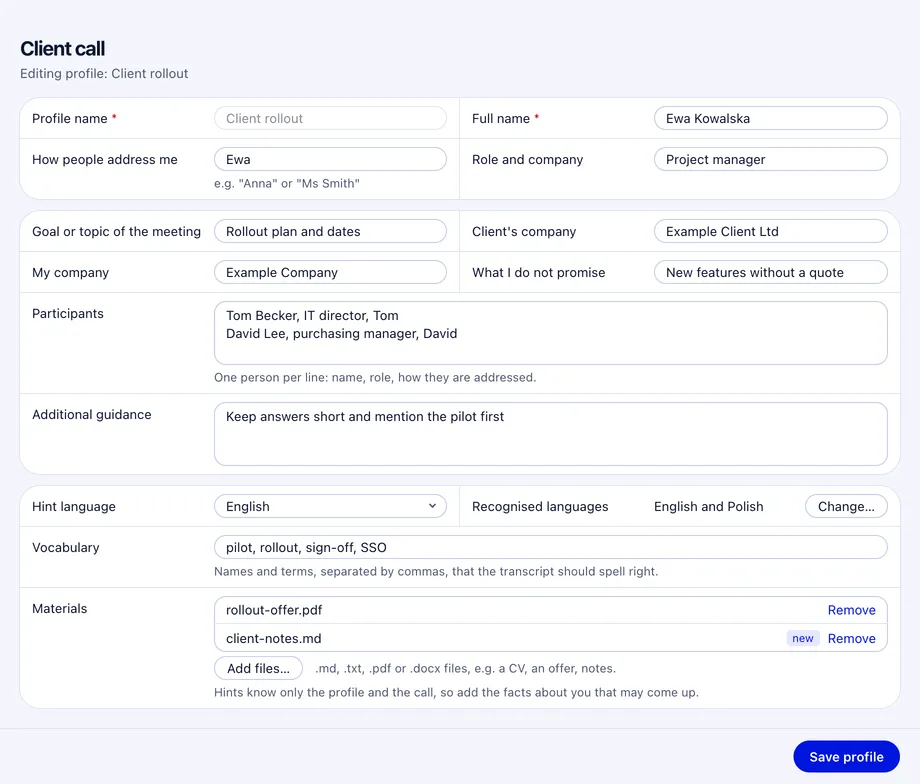
Ready meeting types, from a client call to a negotiation. Or build your own in the creator from a short form.
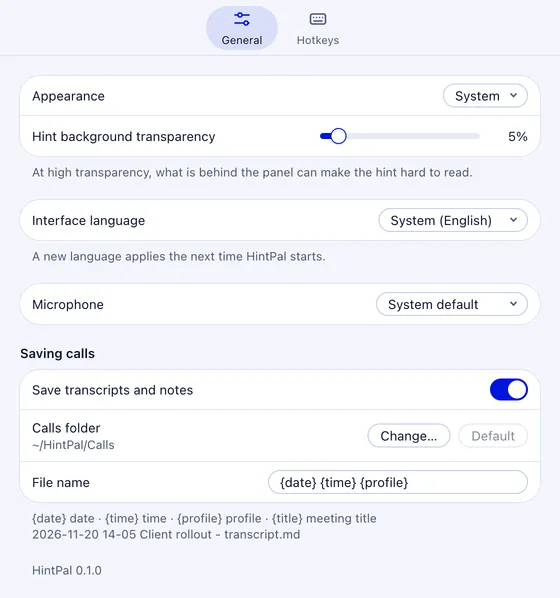
After the call HintPal writes a summary. Transcripts, notes and summaries are saved on your computer, not on our server.
The app
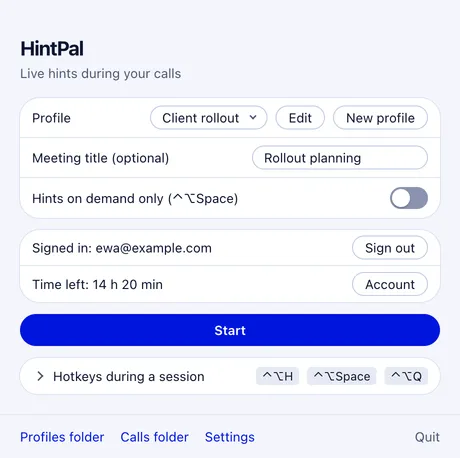
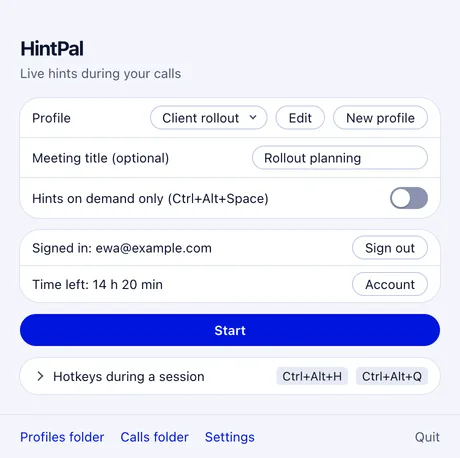
Start a call from the start window, build profiles in the creator, choose your settings once.
Languages
The call can be in any of them, even several in one call. Hints come in the language you pick.
Privacy
Audio, transcripts, screenshots and your materials pass through our server to the speech and hint models. We store none of it.
Transcripts, notes and summaries are saved by the app on your computer. Turn saving off and nothing from the call is kept.
We do not train models on call content, and neither do our providers.
Pricing
60 free minutes to start. Then the plan with hours for each month, or a top-up of hours that do not lapse at the end of the month.
Every feature, for regular calls.
$15a month
or $144 a year
20 hours of calls a month
For a call now and then, with or without the plan.
$10once
One payment, no subscription
10 hours of calls
Sales tax is added at payment where it is due. You buy the plan or a top-up on your Account page at hintpal.app/account. Payment is handled by Link, a Stripe affiliate.
FAQ
HintPal listens to your microphone and to the sound your computer plays. It works with calls in your browser: Google Meet, Microsoft Teams, Zoom and Slack.
Any call where a hint helps: a team meeting, a client or sales call, a presentation, a negotiation, a call in a foreign language or a job interview. You pick the kind of call, or make your own profile.
Yes. Tell them you use HintPal. In many countries the law requires their consent, and the app reminds you before your first call.
Our server passes the audio and text to the speech and hint models and stores none of it. The app saves transcripts, notes and summaries on your computer, and you can turn saving off.
You buy the plan or a top-up on your Account page. The plan's hours renew each month and do not roll over. Top-up hours do not lapse at the end of the month.
Yes, at any time. The plan runs to the end of the period you paid for. As a consumer you can also withdraw within 14 days, as the terms describe.
Yes. Hints are written by an AI model and can be wrong, so treat them as prompts, not facts.
A Mac with Apple silicon and macOS 14.2 or later, or a PC with Windows 10 or 11, 64-bit. An internet connection and a microphone. Headphones help the app tell you and the others apart.
Download HintPal and sign in. Your first 60 minutes are free.
Download HintPal